


Virtual Memory in Computer Architecture
Introduction to Virtual Memory
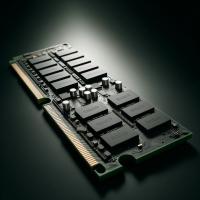
Virtual memory is a fundamental concept in computer architecture that allows a computer to compensate for physical memory limitations by using disk space as an extension of RAM. This technique enhances the computing environment by making it appear as though there is more memory available than is physically present.
How Virtual Memory Works
Virtual memory operates by breaking the memory into manageable pieces called 'pages.' These pages are stored on a secondary storage device, typically a hard drive or SSD, and are loaded into RAM as needed. The system uses a page table to keep track of where each page is located in physical memory or on the disk.
When a program needs to access data that is not currently in RAM, the operating system performs a 'page fault' to retrieve the data from the disk and place it into RAM. If the RAM is full, the operating system will choose which pages to swap out to the disk, making room for the new pages. This process is managed through algorithms that aim to optimize performance by predicting which pages will be used least in the near future.
Benefits of Virtual Memory
Virtual memory offers several advantages:
- It enables the execution of larger programs than would otherwise be possible with the available physical memory.
- It provides an efficient way to share memory between multiple processes, thereby enhancing multitasking capabilities.
- It isolates user processes from one another and from the operating system, increasing the security and stability of the system.
Implementation and Performance
Implementing virtual memory requires cooperation between the operating system and the hardware. Modern processors contain a Memory Management Unit (MMU) that handles much of the work involved in managing virtual memory, including page translation and protection.
Performance of virtual memory systems can be significantly impacted by the paging algorithm used and the size of both the pages and the physical memory. Common paging algorithms include Least Recently Used (LRU), First In First Out (FIFO), and Random Replacement. The choice of algorithm can affect the frequency of page faults and the overall efficiency of the memory management system.
Challenges and Considerations
While virtual memory provides many benefits, it also comes with challenges. The primary concern is the speed disparity between memory and disk storage. Disk access is considerably slower than RAM access, so excessive paging (also known as 'thrashing') can lead to significant performance degradation.
To mitigate these issues, systems often use techniques like paging prediction and prefetching, which attempt to load pages into memory before they are needed. Additionally, modern computers are equipped with more RAM, reducing the reliance on slower secondary storage and improving overall system responsiveness.
Conclusion
Virtual memory is a key technology in modern computing, essential for efficient and secure operations across various devices and applications. By effectively using virtual spot memory systems, computers can run complex applications and multitask smoothly, despite limited physical memory resources. As technology evolves, enhancements in virtual memory management continue to improve its efficacy and reduce the performance gap caused by hardware limitations.